Ceiling fan light pull chain not working
If the fan spins fine but the light only comes on after dozens of pulls, or not at all, the small pull chain switch for the light is likely worn out. The chain still clicks because the switch's plastic mechanism still turns. The metal contacts inside are what fail, and they stop touching reliably. That often happens after years of use, and it isn't something you caused. You have choices that don't involve taking the fan apart, plus a switch swap for those who want to do it.


How a fan light pull chain switch works
A fan with a light kit usually has two pull chain switches in the switch housing under the motor. One runs the fan speeds and has several wires. The other runs the light and is often a simple on/off switch with two wires: one brings power in, and one sends it to the bulbs. Each pull turns a small ratchet inside the switch one notch. That ratchet makes the click you hear and feel. On a working switch, every other click presses two metal contacts together, and the light comes on.
The click and the contacts are separate parts. Over years of use, the contacts can wear, pit or burn, and the spring that presses them together can weaken. Then the ratchet still clicks, but the contacts only touch now and then. That matches lights that come on after many random pulls. If the chain pulls out loose or spins with no click, the chain or ratchet has broken inside instead. Either way, the fix is usually the same: a new switch.
Why the fan light chain stops working
Rule these out first with the main fan light guide.
The chain clicks, but the light only catches now and then.
The chain hangs loose, pulls out, or spins with no click.
A hot smell, scorch marks or a warm housing. Stop and cut power.
Power never reaches the light switch, so no pull helps.
| You notice | Likely cause | Start at |
|---|---|---|
| Chain clicks, light comes on only at random | Worn light switch contacts | Step 1 |
| Burning smell, scorch or warm housing | Overheating switch | Step 2 |
| Light finally came on | Leave the chain alone | Step 3 |
| Don't want to open the fan | Remote kit or a pro | Step 4 |
| Ready to buy a new switch | Match the 2-wire light switch | Step 5 |
| Have the new switch in hand | Breaker off, swap it | Step 6 |
Let's fix it
- Confirm it's the light switchStart with the free checks. Make sure the wall switch is on and the fan runs. With the wall switch off, put one bulb you know works into the light kit; let old bulbs cool first. If you haven't checked bulb bases and the wattage limiter yet, do that with the main fan light guide first. Then turn the wall switch back on and, from a sturdy step ladder, pull the light chain slowly, about 10 times, one click at a time. Watch for the light after each click. If the chain clicks but good bulbs stay dark, or light only on a random pull, the switch contacts are likely worn. If the chain hangs loose, pulls out or spins with no click, the chain or ratchet broke inside.

- Stop yanking and check for heatPulling a worn switch dozens of times can make its contacts spark inside and heat up. Pause and do a quick check from the floor or a step ladder. Sniff near the fan for a hot plastic or burning smell. Look at the switch housing, the small cup under the motor where the chains come out, for brown marks or melted plastic. Hold the back of your hand near the housing, without touching any wires, to feel for warmth. If you notice any of these, or hear buzzing, turn off the fan's breaker and leave it off. Don't try the chain again until the switch is replaced. If everything seems normal, keep pulls slow and few.
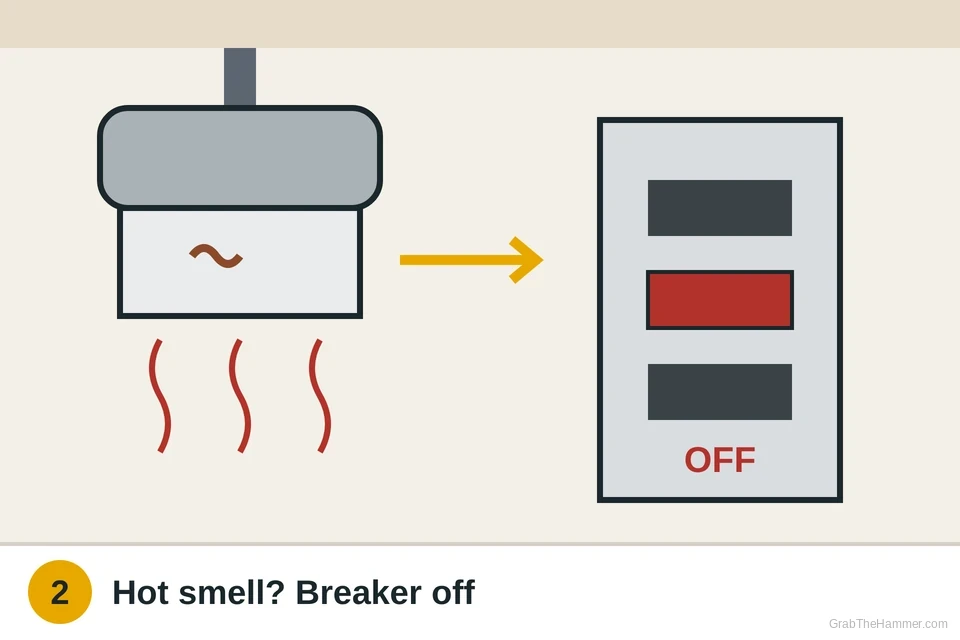
- If the light comes on, leave the chain aloneIf the light finally catches, stop touching the chain. Many fans are wired so one wall switch feeds both the motor and the light. In that case, you can use the wall switch to turn the light on and off, and set the fan speed with its own chain. The light switch then stays in its on position and doesn't get pulled again. It may keep working this way for a while, but worn contacts can still fail, so plan a lasting fix. If the fan has to run without the light, you'll need a working light switch. Put a small note on the wall switch so family and guests use it instead of the chain.

- Skip the chain without opening the fanIf you don't want to take the fan apart, you have three routes. Leaving the light on and using the wall switch, as in Step 3, costs nothing. A universal ceiling fan remote and receiver kit typically runs about $25 to $60. Its receiver goes in the canopy at the ceiling, so installing it means wiring with the breaker off. An electrician can do that if you'd rather not. On many fans the receiver still feeds the light through the old chain switch, so a worn switch can still block it. Ask the installer to replace or bypass that switch at the same visit. If the fan is old or has other problems, replacing the whole fan may be worth pricing too.

- Find and buy the right switchThe light switch is usually a small on/off switch with two wires, often black and blue, or both black. The fan speed switch is different. It has three or four wires and several speed positions, so don't mix them up. Look up your fan's model number on the label on top of the motor housing or in the manual. Some fan makers sell exact switches or plug-in wiring kits. Otherwise buy a replacement with the same number of wires and the same positions, rated for at least the switch it replaces. The rating is usually printed on the old switch. Generic light switches typically cost about $5 to $15 at hardware stores. Also check the nut size and that it fits the housing.

- Replace the light switchTurn the fan's breaker off. Test your non-contact voltage tester on a live outlet, then hold it near the switch wires from a sturdy step ladder; it must stay silent. Remove the shade and bulbs. Unscrew the small nut around the chain hole, counterclockwise, or the screws on the switch housing cover. Some fans need the light kit off first; support its weight and unplug its connector. Photograph the old switch's wires. Move one wire at a time to the new switch, in the same position or joined with a wire nut turned clockwise. Tug each wire gently. Tighten the new switch's nut, close up, restore power and test the chain several times. Stop and call an electrician if wires are scorched, brittle or don't match.

Watch it done
- Each pull turns the light on or off reliably
- The chain clicks firmly and springs back
- No warmth, buzzing or hot smell at the switch housing
- The fan speeds still work as before
Still flaky after a new switch? Have an electrician check the wiring and light kit.
If it comes back
If a new switch fails within months, something may be loading it too hard. Check the bulb wattage against the label on the light kit, and see the fan light guide for the wattage limiter and the light kit plug.
If the light flickers with a new switch, a loose connector or worn light kit is more likely. An electrician can check those. If the fan itself starts to hum or slow down, see the ceiling fan not working guide.
If you'd rather stop using chains for good, a remote kit is covered in the fan remote guide. For a wall switch that feels loose or warm, see how to replace a light switch.
What a pro typically charges (a rough estimate; prices vary by area): An electrician typically charges about $100–$250 to replace a fan's pull chain switch or install a remote kit, plus parts. A light switch is usually about $5–$15.
Find an electrician near you